Screen Recorder Video Recorder
- 4.3
- Rating
- 100.00M
- Installs
- Free
- Price

 Analysis by App-foxy
I found Screen Recorder Video Recorder most useful when I treated it as a quick capture tool rather than a full video-production suite. It is built for recording what is happening on an Android screen, especially gameplay, app demonstrations, and short how-to clips. After spending time with it, my main impression is simple: it reduces the effort between deciding to record and actually getting a usable clip. That convenience matters more than a long feature list for many people.
The app is listed under Tools and comes from the developer Video Player & Cast to TV. It is free to install, carries an Everyone age rating, and has reached more than fifty million installs. Those figures suggest that it has become a familiar option for people who want screen capture without searching through a complicated desktop-style editor.
My recommendation is positive, but not universal. If you want to save a game moment, explain a phone setting, or show a friend how to use an app, this is an approachable choice. If you need precise editing, advanced audio mixing, or a carefully controlled production workflow, I would look elsewhere after recording.
You May Also Like

 Blood Strike: 2.5 Anniversary
Blood Strike’s Loadouts Turn Every Drop Into a Tactical Gamble
A close look at Blood Strike’s custom loadouts: how fast access to signature weapons reshapes its battle royale rhythm, rewards preparation, and narrows the gap between fights.

 Pandora - Music & Podcasts
Pandora’s Music Is Easy to Start, but Harder to Recover
Pandora’s strength is its low-effort path from a seed to a station. Its weak spot is how much confidence it asks you to place in connection, setup, and quiet recovery.

 8 Ball Pool
 Is Built on Rivalries, Rematches, and Routine
A close look at the rivalries, rematches, shared routines, and unanswered safety questions that turn a quick pool match into a persistent mobile community.

 Samsung Music
’s Quiet Strength Is Playing What You Already Own
Its reach comes less from spectacle than from dependable access to a personal library. That simplicity is both the app’s strongest retention engine and its ceiling.

 AccuWeather: Weather Radar
AccuWeather Review: A Quick, Clear Forecast for Everyday Decisions
For everyday plans, the best forecast is the one you can understand quickly. AccuWeather makes rain timing, radar, and local conditions easy to act on, with a few trade-offs.

 Hill Climb Racing
Why Hill Climb Racing Still Turns Crashes Into One More Run
A tiny car, a bumpy hill and one more upgrade: Hill Climb Racing keeps resurfacing because its simple chaos makes every near-miss feel personal.
More From Our News Desk
View All News


What makes the recorder useful in everyday situations
The strongest part of the experience is the directness of the job it is designed to do. A screen recorder should not make you think about encoding settings before you have captured anything, and this app generally feels aimed at avoiding that kind of friction. I can imagine opening it before a game, starting a capture, and returning to the recording once the important moment is over.
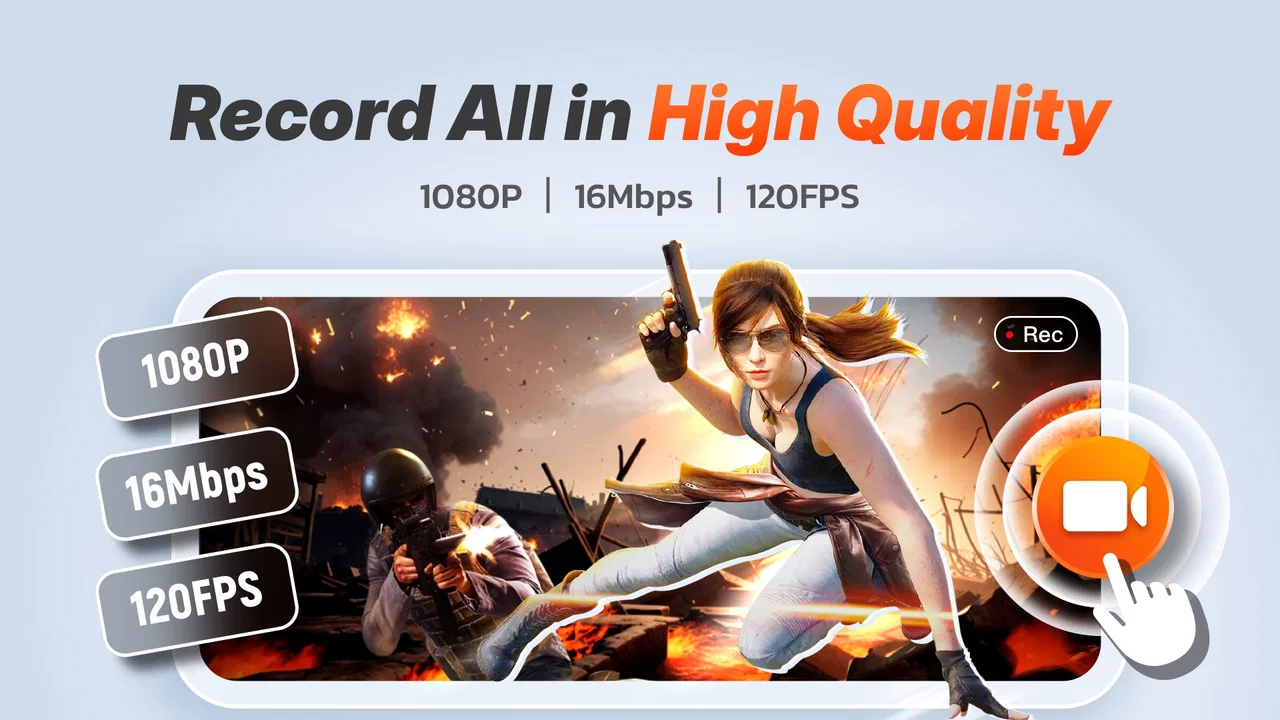
That makes it particularly handy for gameplay clips. A player may want to preserve a difficult win, demonstrate a trick, or send a short sequence to a friend. The app’s store summary specifically focuses on recording with audio and high-quality screen capture for gameplay, so its purpose is clearer than that of a general video utility. It is not trying to be a social network or a game launcher; it is a recording layer that sits beside the activity already on the phone.
I also see value in ordinary, non-gaming situations. When a family member cannot find a setting, a short recording can be clearer than a string of written instructions. Someone preparing a tutorial can capture the taps and menus in order, while a tester can document an awkward screen transition for later discussion. These uses are less exciting than game highlights, but they are where a screen recorder can become a genuinely practical tool.
One useful habit is to plan the recording before pressing start. Close unrelated notifications, move sensitive conversations out of view, and decide whether the clip needs spoken explanation or only the device’s sound. This is not a special feature, but it changes the quality of the result. A simple recording with a clear beginning and ending is much easier to share than a long capture full of pauses and accidental taps.
Audio is more important than the picture alone
The mention of audio in the app’s summary is significant because sound often determines whether a screen recording is actually understandable. A gameplay clip without its important effects may feel flat, while a tutorial without narration can leave the viewer guessing. I would test the intended audio setup with a short sample before recording something that cannot easily be repeated.
For a game, I would first check whether the recording should preserve game sound, my voice, or both. For a tutorial, I would speak slowly and leave a moment between actions so the viewer can follow the screen. If the phone is in a noisy room, I would avoid assuming that voice capture will magically produce a clean result. The app can help create the recording, but it cannot remove every environmental problem or replace thoughtful preparation.
There is also a practical trade-off between a long recording and a focused one. A long session may seem convenient, but it creates a larger file and makes finding the useful section harder. I prefer starting a new capture for each topic or match segment. That workflow keeps clips easier to review and reduces the chance that a private notification or unrelated screen appears later in the same video.
A straightforward fit for Android users
The minimum operating-system requirement is Android 6.0, which gives the app a broad potential audience. That is helpful for people using older phones who may not have the newest built-in recording tools. At the same time, the experience of any recorder depends on the phone itself. A newer device may handle demanding games and recording together more comfortably than an older model, while a phone with limited free storage can become inconvenient during longer captures.
I would therefore check available storage before recording a lengthy session. Screen video can accumulate quickly, especially when the image is detailed and the capture lasts a while. Keeping a little space free also makes it easier to save, trim, or share the result afterward. This is one of those small preparations that prevents the most frustrating kind of failure: discovering that the important moment was not saved properly.
The current version is 1.5.9.1, and the app’s free availability makes it easy to try without committing money first. In-app purchases range from $5.99 to $19.99 per item, so I would pay attention to any upgrade screens and decide whether the free experience already covers my needs. For occasional clips, paying may not be worthwhile. For frequent recording, an optional purchase could make sense only if it removes a limitation that genuinely affects my workflow.
Where it compares well with built-in tools
Many Android phones now include their own screen recorder, and that is the most obvious alternative. A built-in recorder has a major advantage: it is already part of the phone and may require no extra setup. If my phone offers reliable recording, suitable audio controls, and a clean way to access the resulting file, I would not install another app merely for the sake of having one.
This app becomes more interesting when the built-in option is missing, difficult to find, or too limited for the way I work. A dedicated recorder can be easier to recognize and keep ready for repeated use. It may also suit someone who wants a familiar recording app across different Android phones rather than learning a different manufacturer interface each time. That said, I would not assume that a separate app automatically produces better footage than the phone’s own tool.
Compared with a desktop recorder, the advantage here is mobility. I can capture a phone screen directly while using the phone, without routing the image through another device. The trade-off is control. Desktop software is usually better suited to scenes, multiple audio sources, camera overlays, detailed editing, and organized production. For a quick mobile clip, that extra machinery can be unnecessary; for a polished channel video, it is often worth it.
The limitations I would take seriously
The biggest weakness is that recording is only one part of making a finished video. A raw capture may include waiting, mistakes, repeated attempts, or a long stretch before anything interesting happens. If I want a polished result, I still need to review the file and edit it elsewhere or use whatever basic handling is available in my broader phone workflow. I would not choose this app expecting it to replace a dedicated editor.
Another limitation is the unpredictability of demanding use. Recording a graphically intensive game while keeping the game responsive asks a lot from a phone. Performance can vary with the device, the game, background activity, and the length of the session. I would test the combination before promising a high-quality recording to someone else. A short trial is more useful than assuming the app will behave identically on every handset.
Notifications and private information are also easy to overlook. A screen recorder captures what appears on the display, so an incoming message, account detail, or personal photo can become part of the video. I would use a quiet mode where appropriate, review the first and last seconds of every clip, and avoid opening sensitive apps during a recording. This is especially important when sharing the result publicly rather than sending it privately to one person.
Storage and sharing add another layer of friction. A successful capture is not automatically a well-organized library. I would rename or sort useful clips soon after creating them, particularly if I record several versions of the same demonstration. Otherwise, finding the right file later can take almost as long as making it. The app is most effective when paired with a simple cleanup routine.
Three workflows that make more sense than simply pressing record
For gameplay, I would use a short test capture before a serious attempt. Record a few seconds, check the picture and sound, then stop and review it. This catches problems with the intended audio balance and confirms that the game remains usable while recording. It is a small step, but it protects the one-off moments that cannot be recreated.
For tutorials, I would divide the process into chapters instead of making one uninterrupted file. Capture the opening screen, the main action, and the final result separately. This creates cleaner material and makes it easier to remove a mistake without repeating the entire explanation. It also lets me send only the relevant step to someone who needs help.
For troubleshooting, I would record the problem from just before it occurs and stop soon after the error is visible. A focused clip gives another person the context they need without exposing unrelated parts of the phone. I would add a short spoken explanation only if it clarifies the sequence; otherwise, visible taps and a concise message may be enough.
These workflows reveal the app’s real strength: it is a capture component that works best when the user supplies a little organization. It does not need to be the entire solution to be valuable. In fact, expecting it to do everything is what would make the experience feel disappointing.
Who should install it, and who should skip it
I would recommend it to Android users who regularly need quick screen videos and do not want to depend entirely on a manufacturer-specific recorder. It is a sensible fit for casual gamers, people who explain phone tasks to relatives, app testers, and anyone who occasionally needs visual proof of what happened on a screen. The free entry point also makes experimentation easy.
I would be more cautious if my main goal were professional publishing. A creator who needs exact frame control, layered commentary, a face-camera layout, extensive trimming, or a repeatable production pipeline will probably outgrow a mobile capture app quickly. In that situation, I would use this kind of tool only for fast drafts or on-the-go material, then move the footage into a stronger editing setup.
I would also skip it if my phone already has a built-in recorder that performs exactly as I need. Installing another app adds another place to manage recordings and another interface to learn. The dedicated option is worthwhile when it solves a real problem, not simply because it exists.
The app has an average rating of 4.4 from roughly seven hundred thirty-six thousand ratings, alongside about thirteen thousand written reviews. I read those figures as evidence of broad appeal rather than proof that every phone and every recording situation will be perfect. A large audience can confirm that the basic idea works for many people, but my own device and intended use still matter more than the headline rating.
My final take after using it
Screen Recorder Video Recorder succeeds because it focuses on a common need and keeps the path to a recording relatively clear. Its strongest case is not studio-quality production; it is the quick, useful clip made directly on an Android phone. Gameplay highlights, short tutorials, and troubleshooting evidence are all realistic reasons to keep it installed.
Its weaknesses are equally clear. Long sessions require storage planning, demanding games may test the phone, private notifications can be captured accidentally, and a raw recording is not the same as an edited video. The in-app purchase range also means I would inspect the available experience before deciding whether an upgrade is justified.
Overall, I would recommend it to someone who wants a practical mobile recorder and understands that recording is the beginning of the workflow, not the whole workflow. The best reason to choose it is convenience, not advanced production control. Start with a short test, protect your privacy, keep clips focused, and it can be a dependable tool for everyday screen capture.
FAQs for Screen Recorder Video Recorder
01How easy is it to use Screen Recorder Video Recorder?
Screen Recorder Video Recorder is designed with user-friendliness in mind, making it accessible for both beginners and experienced users. The interface is intuitive, providing clear options for starting and stopping recordings, adjusting settings, and accessing your saved videos. Even if you're not tech-savvy, you'll find it easy to navigate and use effectively.
02What features does Screen Recorder Video Recorder offer?
This app offers a range of features including high-quality video recording, audio capture, and screen capture with annotations. It also supports multiple resolutions and frame rates, making it versatile for different needs. Additional features like live streaming and video editing tools enhance its functionality, making it a comprehensive tool for content creators.
03Is Screen Recorder Video Recorder compatible with all devices?
Screen Recorder Video Recorder is compatible with most Android and iOS devices. However, to ensure optimal performance, it's recommended to check the app's requirements and your device's specifications. Some advanced features may require higher processing power, so a recent device model would be advantageous.
04Are there any in-app purchases or ads?
The app is free to download and use, but it may include in-app purchases for premium features such as advanced editing tools and ad-free experience. While the free version offers robust functionality, purchasing the premium version can enhance your experience by unlocking additional features and removing advertisements.
05How secure is my data when using Screen Recorder Video Recorder?
Screen Recorder Video Recorder values user privacy and security. The app requires permissions to access your screen and audio for recording purposes, but it does not store or share your data without consent. Always review the privacy policy and permissions to ensure you are comfortable with the data practices.
Pros
- Easy to use with intuitive interface.
- High-quality video recording options.
- Supports multiple formats for saving.
- Minimal lag during recording sessions.
- Offers basic editing tools post-recording.
Cons
- Ads can be intrusive at times.
- Limited features in the free version.
- May not support all devices.
- Occasional crashes reported by users.
- Lacks advanced editing capabilities.

Screen Recorder Video Recorder
Gallery